Hi! How Can We Help?
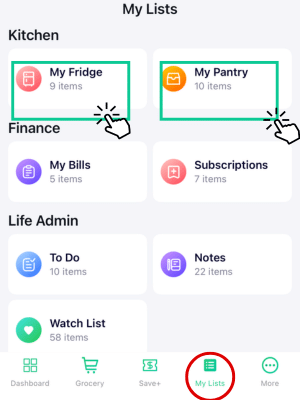
How to use Fridge List?
Stop Throwing Money Away: The Ultimate Fridge List Guide to Zero Food Waste. Keep Your Fridge Fresh: An Easy Guide to Using Our App
Step 1: Add Your Groceries your way:
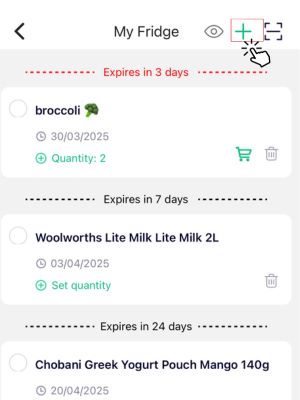
Manual Entry: Tap the ‘+’ button for fresh produce or items without a barcode.
– You can either type the name of your item into the app (like “milk” or “eggs”), or
Scan Barcodes: Use the barcode icon at the top right. If it has a barcode, simply use your phone’s camera to scan it.
From Grocery List: Simply tick off items as you shop to move them instantly from your grocery list to your Fridge/Pantry.
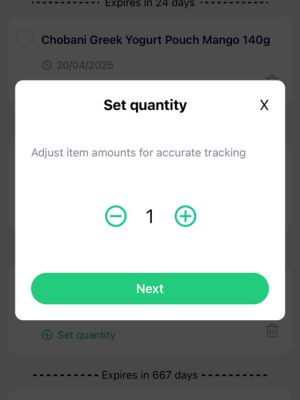
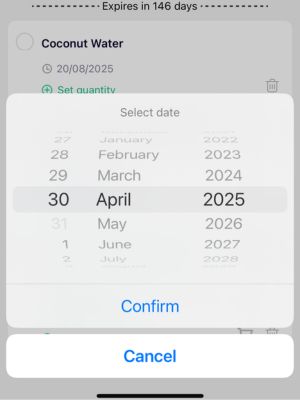
Step 2: Tell Us the Details:
– Enter how many of that item you have.
– Enter the “use by” or expiration date.
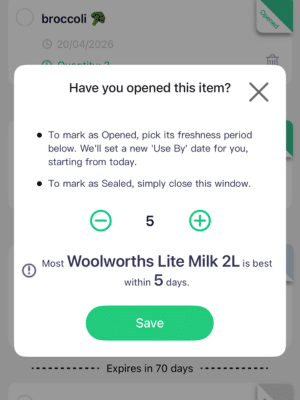
Step 3: On the top right of each item you can mark as “Open” or “Sealed” which you can determine the use by date manually or based on our recommended use by date for freshness
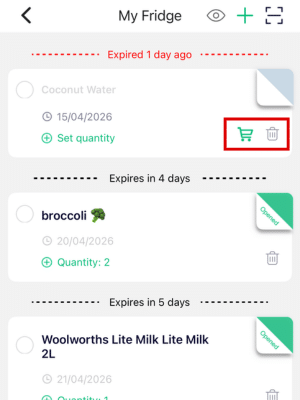
Once an item is expired you can either delete it or add them back to your grocery list
Step 4: Get a Friendly Alert:
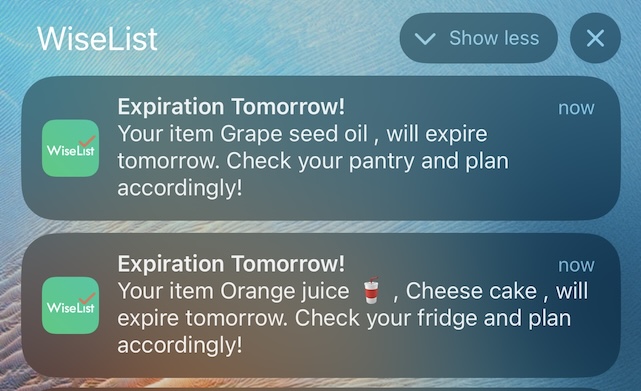
The app will send a notification to your phone, letting you know the item is about to expire.
Simplify Your Shopping: When an item is close to expiring (within 3 days), you’ll see a shopping cart icon. Tap it, and the item is automatically added to your grocery list.
View all other FAQ’S here