How to Build a Grocery List Automatically
Creating a grocery list sounds simple until you actually sit down to do it. You have to remember what is running low, check the fridge, look through the pantry, think about what meals you are cooking, remember household essentials and then work out where you should buy everything. By the time the list is finished, you may have already forgotten something.
An automatic grocery list can make this process much easier by helping turn the things you already need into an organised shopping list.
For Australian households, this can be particularly useful when grocery prices are changing and shoppers are trying to get more value from every weekly shop.
What Is an Automatic Grocery List?
An automatic grocery list is a digital shopping list that can be created or updated based on the items, meals and household needs you enter into an app.
Instead of starting with a blank list every week, you can build your shopping list from information you already have.
For example, your grocery planning process might look like this:
- Decide what meals you want to make.
- Check what you already have at home.
- Identify the ingredients you are missing.
- Add those ingredients to your grocery list.
- Compare prices and decide where to shop.
The more connected these steps are, the less manual work you need to do.
Why Manually Creating Grocery Lists Takes So Long
A traditional grocery list often relies on memory.
You might open your phone’s Notes app and type:
- Milk
- Bread
- Eggs
- Chicken
- Apples
- Rice
- Toilet paper
But this doesn’t tell you what you already have.
You might already have two bags of rice sitting in the pantry. You might have enough milk for another three days. You might have forgotten that you planned to cook pasta on Thursday.
This can lead to two common problems:
Buying Things You Already Have
Duplicate purchases are one of the easiest ways to waste money at the supermarket.
Forgetting Things You Actually Need
You get home and realise the one ingredient you needed wasn’t on your list.
A smarter grocery system should help reduce both problems.
How to Build a Grocery List Automatically
Step 1: Start With What You Need
Begin by thinking about the meals, groceries and household items you actually need for the coming week.
This might include:
| Category | Examples |
| Breakfast | Cereal, eggs, yoghurt |
| Lunch | Bread, chicken, salad |
| Dinner | Pasta, rice, vegetables |
| Snacks | Fruit, crackers |
| Household | Cleaning products, toilet paper |
Instead of creating a completely new list every week, use your existing digital lists and household information as your starting point.
Step 2: Check Your Fridge and Pantry
Before buying groceries, check what you already have.
WiseList’s fridge list and pantry list can help you keep track of food already at home.
This can help you avoid buying another packet of something simply because you forgot you already had it.
Step 3: Add Missing Items to Your Grocery List
Once you’ve worked out what you actually need, add the missing items to your grocery list.
This gives you one central shopping list instead of relying on scraps of paper, memory or multiple notes.
Step 4: Build Your Shop Around Your Household
This is where WiseList’s Build My Shop feature can make grocery planning easier.
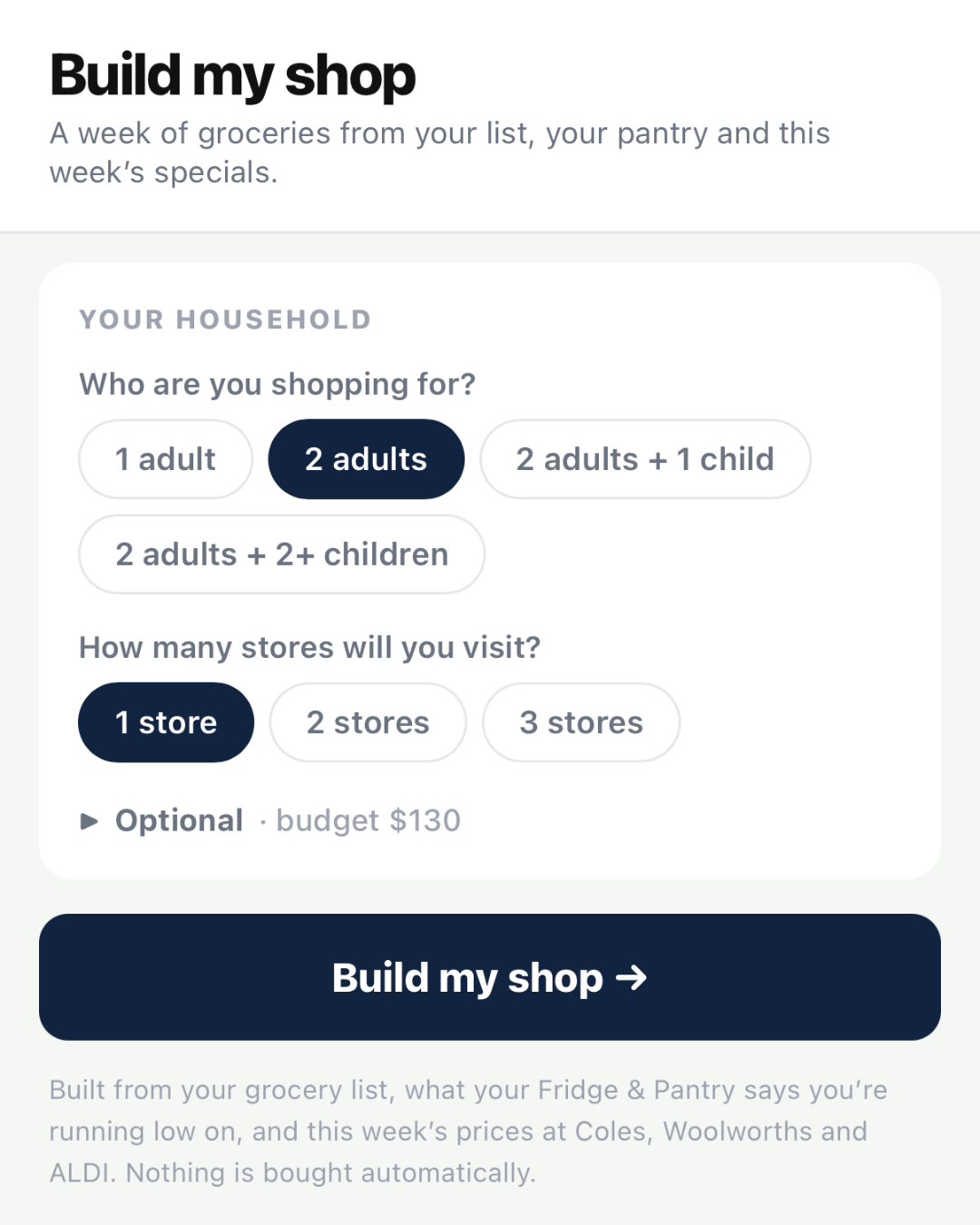
Rather than manually deciding what needs to go on your shopping list every week, Build My Shop helps generate a shopping list based on your household requirements and preferences.
You can then review the list before you shop.
Step 5: Compare Prices Before Buying
Once your list is ready, you can use WiseList’s grocery comparison app to compare grocery prices across supported supermarkets.
This is particularly useful when you are trying to reduce your weekly grocery bill.
Automatic Grocery Lists vs Traditional Lists
| Traditional Grocery List | Automatic Grocery Planning |
| Starts from scratch | Builds from existing information |
| Relies heavily on memory | Uses organised household lists |
| Easy to forget items | Easier to review before shopping |
| Duplicate purchases are common | Helps identify what you already have |
| Little connection to meal planning | Can connect shopping with meal planning |
| Manual price checking | Can connect with grocery comparison |
How WiseList Helps
WiseList brings several parts of grocery planning together. Instead of having one app for your grocery list, another place for your pantry and another website for comparing prices, WiseList connects these parts of the shopping process.
You can use Build My Shop to help create your shopping list, check your pantry list and fridge list, and then compare grocery prices before completing your shop.
The goal isn’t simply to create a longer grocery list.
It’s to create a smarter grocery shopping routine.
A Simple Weekly Grocery Routine
Try this routine before your next shop:
Sunday: Decide what meals you want for the week.
Monday: Check your fridge and pantry.
Tuesday: Add missing groceries.
Wednesday: Review your shopping list and remove anything unnecessary.
Thursday: Compare prices.
Shopping day: Take your final list to the supermarket.
Once this becomes a routine, grocery shopping can become much less stressful.
Building an automatic grocery list can save time, reduce forgotten items and make it easier to see what you actually need. The biggest improvement comes when your grocery list isn’t treated as a standalone list, but as part of your wider household routine. With WiseList, you can connect Build My Shop, grocery lists, fridge and pantry tracking and grocery price comparison to make weekly shopping more organised. A smarter grocery shop starts before you walk through the supermarket doors.