Hi! How Can We Help?
How to Use Build My Shop?
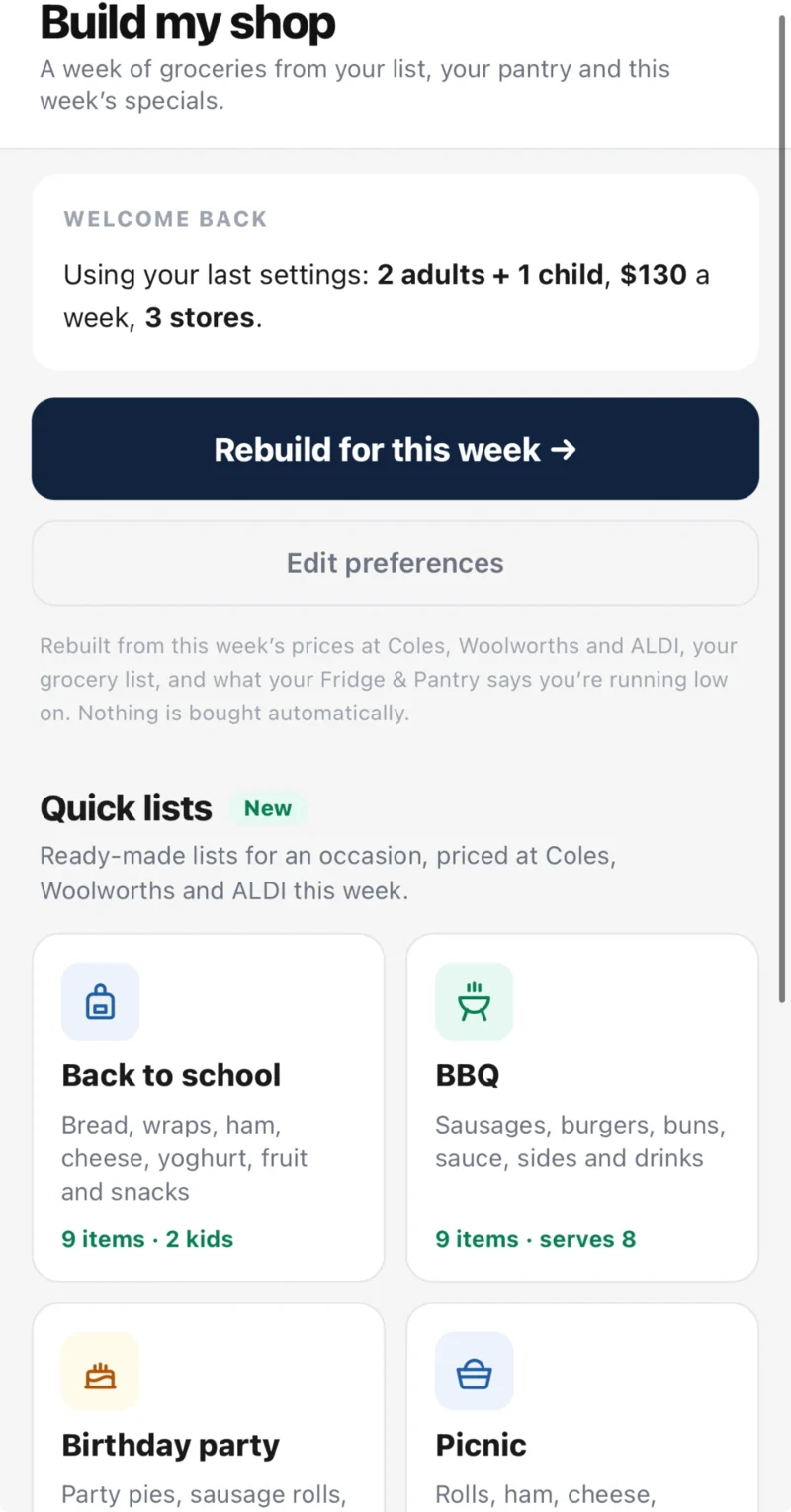
Build My Shop puts together a suggested weekly shop from your grocery list, your fridge and pantry, and this week’s prices at Coles, Woolworths and ALDI. You review it, change what you like, and add it to your grocery list. Nothing is bought automatically.
Where to find Build My Shop
- Open the WiseList app and tap My Lists in the bottom navigation bar.
- Under Kitchen, tap Build My Shop.
The first time: tell WiseList about your household
- Who are you shopping for? Choose your household size.
- Any dietary needs? Choose none, vegetarian or vegan.
- Weekly budget. Set what you would like to spend.
- How many stores will you visit? Choose how many supermarkets you are willing to shop at.
Then tap the build button. WiseList checks your items at the three supermarkets and shows your shop.
Review your shop
- Your shop lists what is already on your grocery list, priced.
- Suggested shop adds items WiseList thinks you may need, such as things your Fridge & Pantry says you are running low on and specials worth grabbing.
- Untick anything you do not need.
- Tap Swap on an item to choose a different or cheaper product.
- Check the total against your budget, and compare shopping at one store with shopping at more.
Add it to your grocery list
When you are happy, tap the button at the bottom to add the items to your grocery list. Items that were already on your list are not added twice.
Coming back next week
Build My Shop remembers your settings. Tap Rebuild for this week to build again with this week’s prices, or Edit preferences to change your household, budget or stores.
Frequently asked questions
Where is Build My Shop in the app?
Tap My Lists in the bottom navigation bar, then Build My Shop under Kitchen.
Does Build My Shop buy anything for me?
No. It suggests a shop and adds the items you choose to your grocery list. Nothing is bought automatically.
Is Build My Shop free?
Yes. Everyone gets the suggested shop, the cheapest single store and the totals for shopping at more than one store. WiseList+ adds the item-by-item split across stores, dinner ideas for the week and suggested cheaper swaps.
Why were there only a few suggestions the first time?
Suggestions are based on what WiseList can see: your grocery list, your fridge and pantry, and this week’s specials. They sharpen as WiseList learns your weekly shop.
What does “est.” next to a price mean?
The price comes from WiseList’s latest catalogue snapshot and may have changed. Check the price in store or on the supermarket’s site.
How do I change my household, budget or stores?
Open Build My Shop and tap Edit preferences.
Where are Quick lists?
At the bottom of the Build My Shop screen, below the build button. See How to Use Quick Lists.