Hi! How Can We Help?
How to Use Quick Lists?
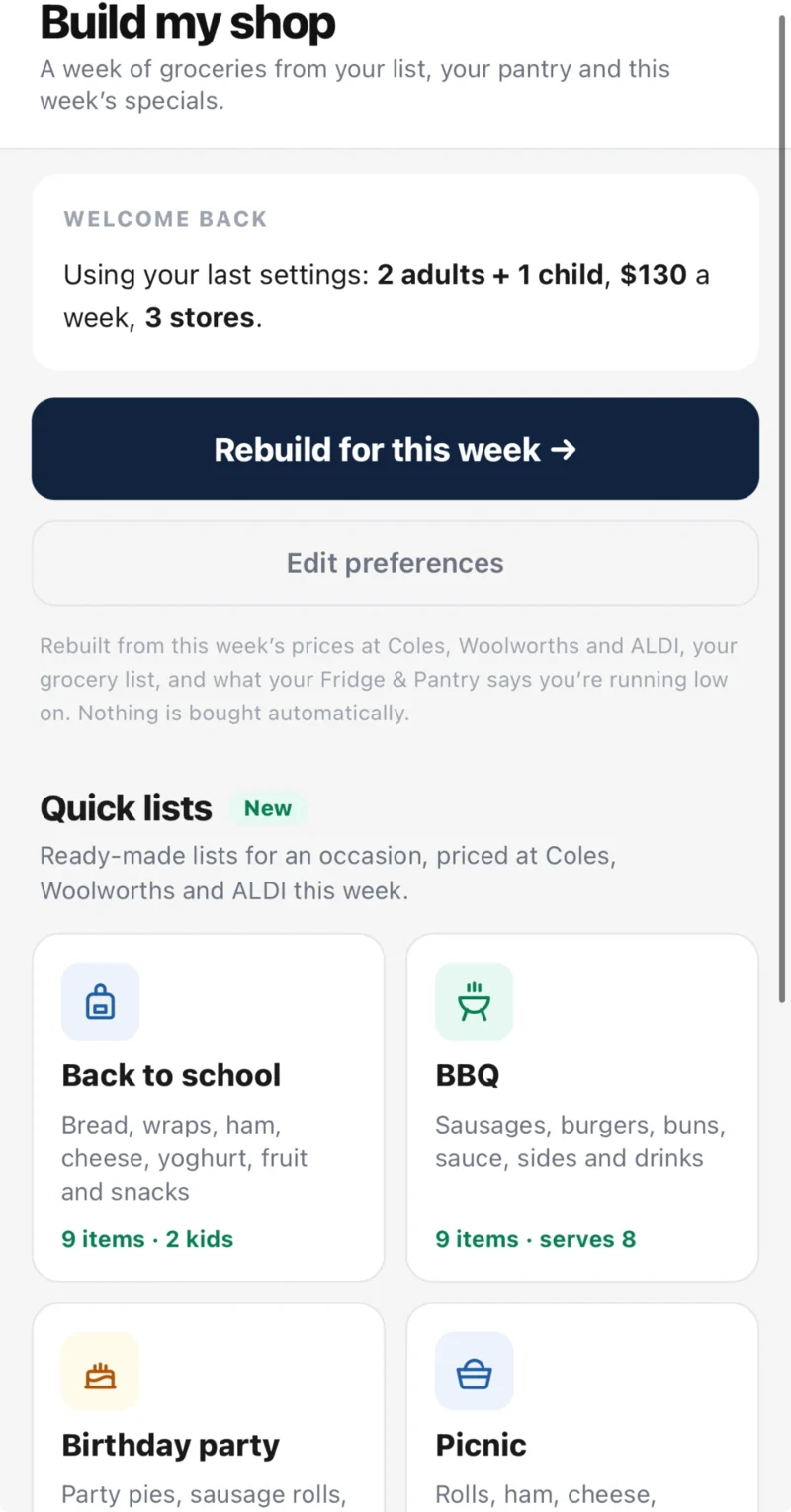
Quick lists are ready-made shopping lists for occasions such as a BBQ, a birthday party or a picnic, priced at Coles, Woolworths and ALDI for this week. Here is where to find them and how to use them.
Where to find Quick lists
- Open the WiseList app and tap My Lists in the bottom navigation bar.
- Under Kitchen, tap Build My Shop.
- Scroll down to Quick lists, below the Build button.
- Tap the list you want, such as BBQ.
Build your list
- Choose how many people you are feeding. The quantities change to suit.
- Tap a store to see its items and its total: Coles, Woolworths or ALDI.
- Use the plus and minus buttons to change the quantity of an item. Take it down to zero to leave it out.
- Tap Add to my list. The items go to your grocery list in the app.
Frequently asked questions
Where are Quick lists in the app?
Tap My Lists, then Build My Shop under Kitchen. Quick lists are at the bottom of that screen.
Are Quick lists free?
Yes, at any one store. Best mix, which splits the list across the stores to get the lowest total, is part of WiseList+.
Which lists are there?
BBQ, Birthday party, Picnic and Movie night all year. Back to school appears around the start of each school term, Halloween in October and Christmas lunch in December.
Why are the totals different sizes at each store?
Each list uses similar items at each store, so brands and pack sizes differ. A store’s total counts only the items that store has.
Why can’t I see ALDI?
ALDI is shown only in states where ALDI has stores.
Why does it ask for my postcode?
Prices and specials differ from state to state. Add your postcode in your profile in the app, then open the list again.
I went back after building my shop and can’t see Quick lists.
From your shop, tap “Rebuild & Quick lists” at the top to return to the first screen.
Does adding a Quick list change my existing grocery list?
It adds the items to the list you already have. Nothing is removed.