Most of a grocery bill is the same few dozen products, week after week. Put them on your Watch List and WiseList keeps an eye on their prices for you.
- Watch the products you buy most
- See how many are on special this week, and what you would save
- Get suggestions from your own lists and pantry
- Watch 5 products free, or as many as you like with WiseList+
Free on iPhone and Android.
What You Can Do With a Watch List
This week at a glance
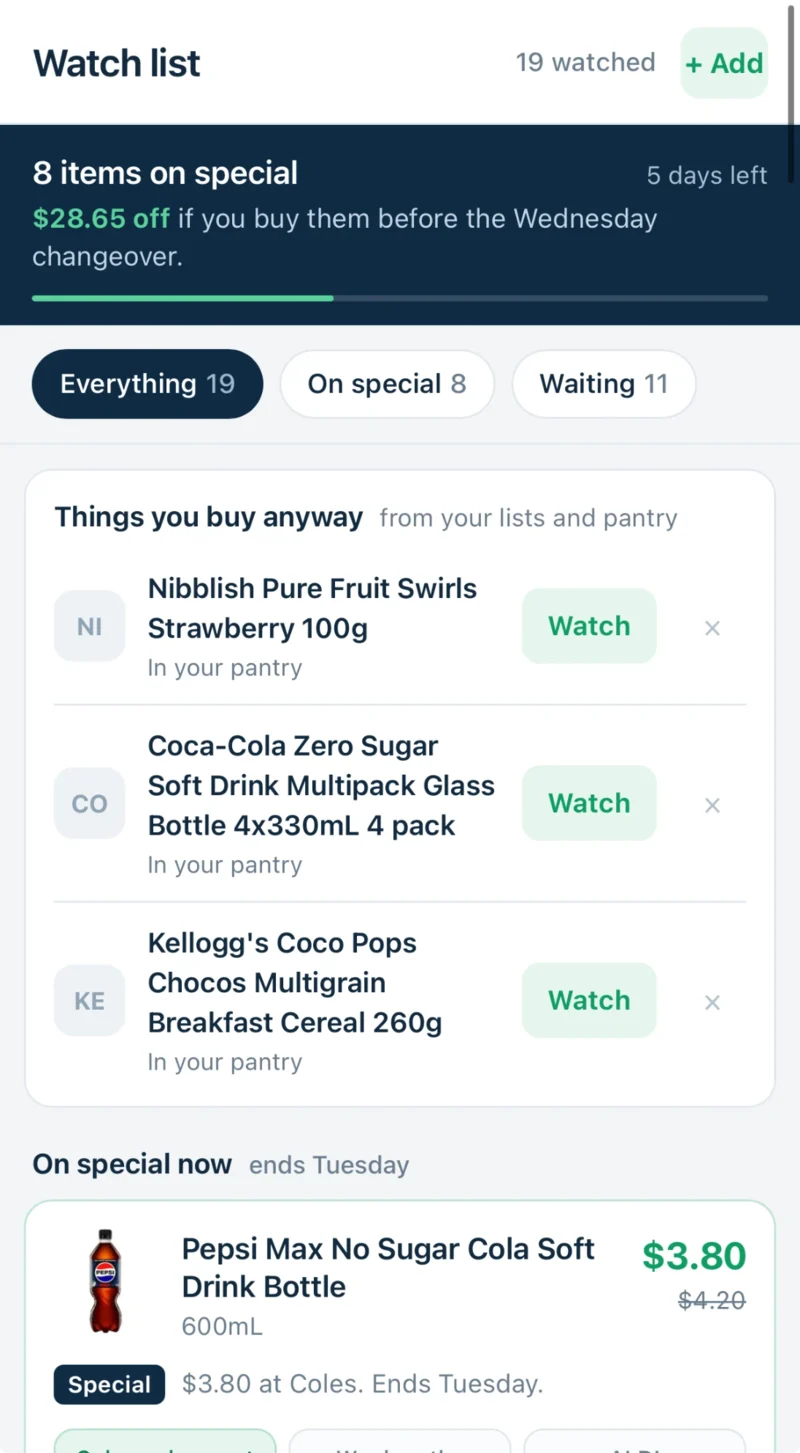
The top of your Watch List shows how many of your products are on special, what you would save by buying them, and how many days the specials have left.
On special or still waiting
Switch between everything you watch, the products on special now, and the ones still waiting for a special.
Things you buy anyway
WiseList suggests products from your lists and your pantry that are worth watching. Tap Watch to add one.
The details of each special
A product on special shows its price, what it was, which supermarket has it and when the offer ends.
Spot your specials first
In Specials, products on your Watch List are pointed out, so you see the offers that matter to you before the rest.
Hear about it
Allow push notifications and WiseList lets you know when products you watch are on special.
Three Ways to Add a Product
ANY TIME
From your Watch List
Tap Add at the top and search for a product, or tap Watch on one of the suggestions.
IN SPECIALS
From a special
Open a special and choose to watch its price.
AS YOU GO
From a product or a meal plan
Tap the heart on a product in Grocery, or add an ingredient from a meal plan.
Free, With More on WiseList+
Everyone can watch 5 products. WiseList+ makes your Watch List unlimited.
Ready to Start Your Watch List?
In the WiseList app, tap My Lists and open Watch list, or tap More and choose Watch List. For a step-by-step guide, see How to Use Watch List.