Hi! How Can We Help?
How do I use the Grocery list and Comparison feature?
How to use Grocery List? ( Available in Australia Only )
How to add items?
Step 1: Go to grocery tab & tap the search bar at the top
Step 2: Type the item you want (for example: milk, bread, eggs)
Step 3: Tap the item when you find it
Step 4: Choose how many you need
Step 5: Tap Add to List & Compare
Step 6: When you are finished, tap Done in the top right corner. You will then go back to the Grocery tab.
How to tick off items while shopping?
When you are shopping in store, you can tap the circle or checkbox on the left side of an item to mark it as done. Now you can also add them directly to either fridge or pantry list once you mark off an item.
How to delete an item?
To remove an item:
Step 1: Find the item in your list
Step 2: Swipe left on it
Step 3: Tap Delete or remove it
How to use Grocery Comaprison? ( Available in Australia Only )
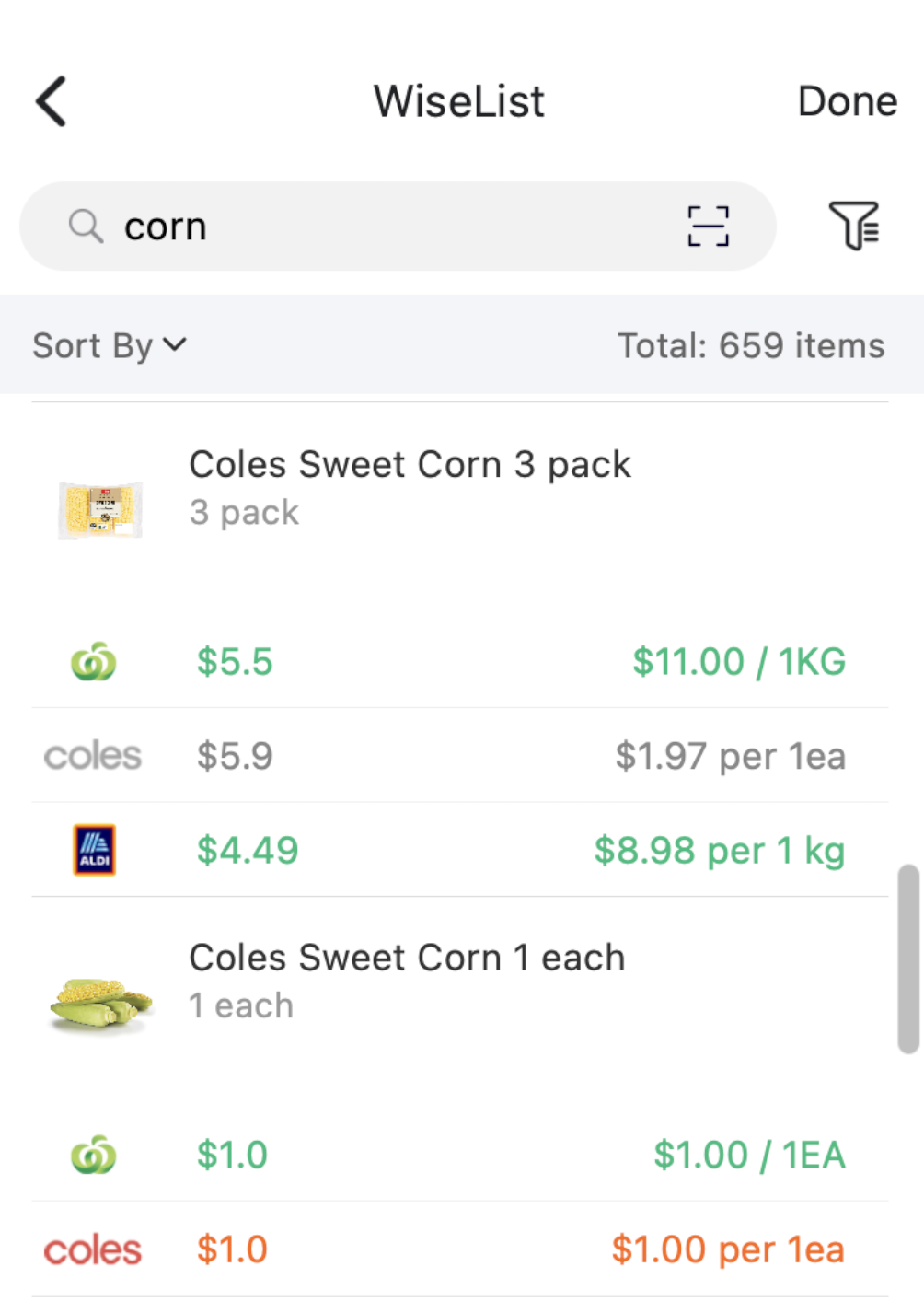
When you search for a product in the Search tab, WiseList will show a price comparison if that item is available at:
– Coles
– Woolworths
– Aldi
If the same or comparable product is available, you will see the prices listed there.
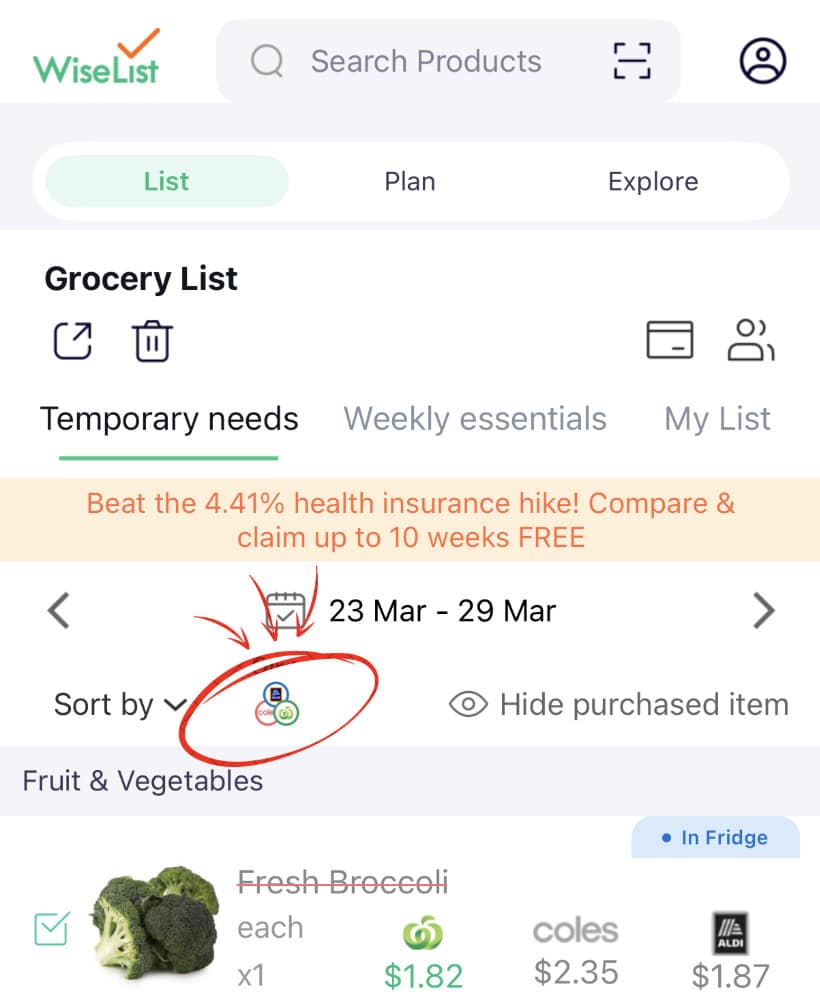
Step 2:
Go back to your Grocery tab.
Under the Date Range, tap the supermarket icon (the icon showing the 3 supermarket logos).
This lets you choose which supermarket you want to compare.
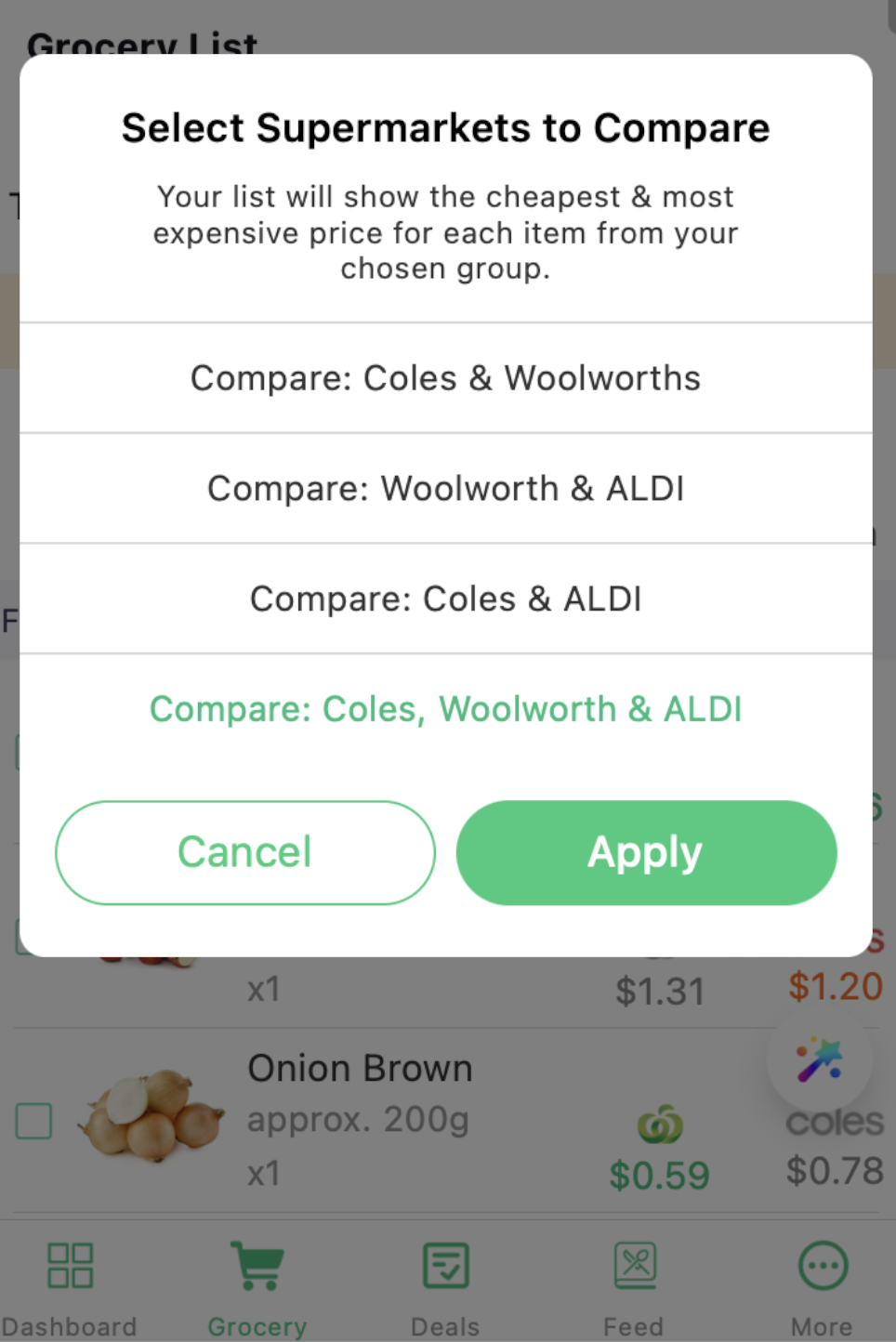
Choose your supermarket view
You can choose to compare:
– Coles & Woolworths only
– Woolworths & Aldi only
– Coles & Aldi only
– All 3 supermarkets
This helps you see which store may be cheaper for your grocery list.
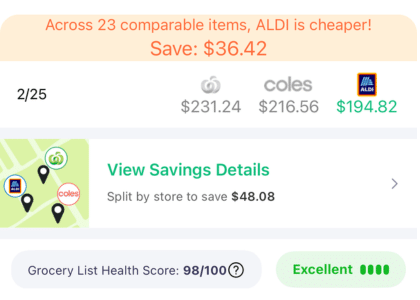
At the bottom of your list, the total price shown is only for comparable items.
It is not the full total of your entire grocery list.
Comparing Aldi items
You can add Aldi items to your Grocery List. However, only some fresh food items can be compared across all 3 supermarkets, such as:
– milk
– fruit
– vegetables
This is because many Aldi products have different brand names, so they cannot always be directly compared with Coles and Woolworths.
To find the best savings:
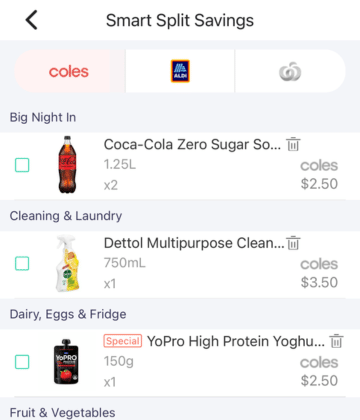
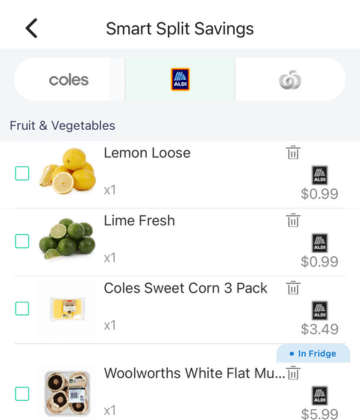
Tap View Saving Details “Split by Store”
You may see options such as:
- Split by Store (Coles, Woolworths & ALDI)
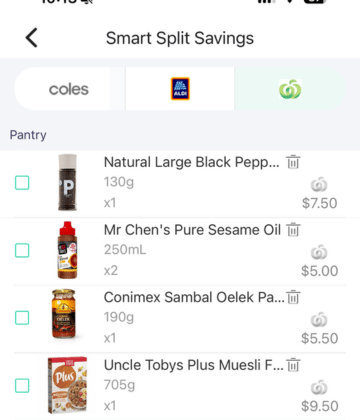
- Woolworths only
- Coles only
- ALDI only
Ready to shop?
You can select your items and check out directly through Coles or Woolworths.
Please read here on how to checkout via the app & how to load your grocery list via Coles & Woolworths (Click & Collect/ delivery).
After You Shop: Keep Your Kitchen Updated
Finished your shop? You can use Scan Receipt to update your kitchen inventory from your receipt instead of manually entering everything.
Grocery List → shop → Receipt Scan → Fridge/Pantry